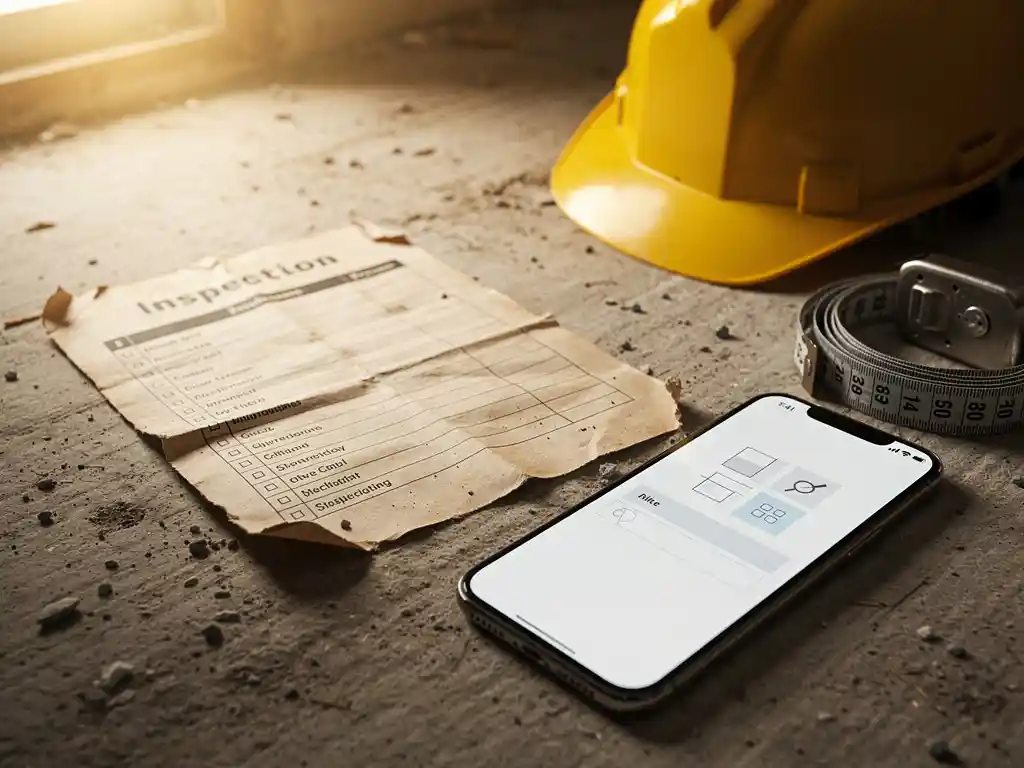
Moving from paper to a digital workplace inspection report on a construction site means replacing handwritten checklists and physical sign-offs with structured digital forms that capture, store, and share inspection data in real time. The transition typically takes between two and eight weeks, depending on team size, the complexity of your inspection workflows, and how much training your workers need. The sections below walk through every key question you are likely to have along the way, from choosing the right tool to meeting legal requirements.
What are the biggest problems with paper inspection reports on construction sites?
Paper inspection reports on construction sites create four core problems: they get lost or damaged, they are slow to process, they are hard to audit, and they introduce human error at every step. A completed paper form sitting in a site cabin cannot trigger an alert, update a safety log, or feed into a compliance report without someone manually transferring the data.
Beyond the obvious risk of a form blowing off a scaffold or getting soaked in rain, paper creates a communication lag that is genuinely dangerous in construction environments. If a worker identifies a hazard on a Friday afternoon and the paper report does not reach the site manager until Monday morning, the hazard sits unaddressed all weekend. Digital inspection reports eliminate that lag by sending notifications the moment a form is submitted.
There is also the audit trail problem. Regulators and insurers increasingly expect construction companies to demonstrate a clear, timestamped record of every inspection. Paper files stored in lever arch folders are difficult to search, easy to misfile, and vulnerable to loss. A digital record, by contrast, is searchable, backed up automatically, and retrievable in seconds.
What does a digital workplace inspection report actually include?
A digital workplace inspection report for a construction site includes the same core elements as a paper version, but in a structured, interactive format: site details, inspection date and time, the name of the inspector, a checklist of safety and compliance items, space for observations and photos, a risk rating for any findings, and a sign-off field. What makes it digital is that each field is captured in a system that stores, timestamps, and routes the data automatically.
Well-designed digital inspection reports also include conditional logic, meaning a follow-up question only appears if a previous answer flags a risk. They can attach photographic evidence directly to the relevant checklist item, assign corrective actions to named individuals, and set automatic reminders if an action is not completed by its deadline. This transforms the report from a static document into an active safety management tool.
For construction sites with multilingual workforces, digital forms can also be displayed in the worker’s preferred language, which reduces misunderstandings and improves the quality of the data collected. Learn more about how structured workplace inspections can support your site safety programme.
How do you choose the right digital tool for construction site inspections?
Choose a digital inspection tool for construction sites by matching it against five criteria: ease of use on a mobile device, offline functionality, integration with your existing safety management or HR systems, the ability to customise checklists to your specific site requirements, and a clear audit trail that satisfies regulatory expectations.
Ease of use matters more than feature count. A tool with a steep learning curve will face resistance from site workers who are focused on getting physical work done, not navigating software. Look for tools that workers can complete in under five minutes per inspection without needing a manual.
Offline functionality is non-negotiable on many construction sites where mobile signal is unreliable. The tool must be able to capture and store data locally and synchronise it automatically when connectivity is restored.
Integration capability determines whether your digital inspection data can flow into your broader safety, HR, or project management workflows without manual re-entry. Check whether the tool offers API connections or native integrations with the systems you already use.
How do you get construction workers to actually use a digital inspection system?
Getting construction workers to adopt a digital inspection system comes down to three things: making the tool genuinely easier than paper, involving workers in the rollout from the start, and providing brief, practical training rather than lengthy instruction sessions. Resistance to digital tools on construction sites is almost always about friction, not technology aversion.
Start by identifying two or three workers who are already comfortable with smartphones and make them your on-site champions. Their peer endorsement carries more weight than any top-down mandate. When colleagues see someone they respect using the tool without difficulty, the psychological barrier drops significantly.
Keep training short and task-focused. Workers do not need to understand the back-end system; they need to know how to open the form, fill it in, attach a photo if needed, and submit it. If that process takes more than five minutes to learn, the tool is too complex for field use. Short microlearning modules delivered directly to workers’ phones, covering exactly the steps they need, consistently outperform classroom-style training in construction environments because workers can revisit them on the job without stopping work entirely.
Finally, close the feedback loop early. When a worker submits a digital report and sees a corrective action get assigned and resolved, they understand that the system works. That visible outcome is the strongest driver of sustained adoption. Explore how toolbox talks can reinforce this kind of safety culture across your team.
What are the legal and compliance requirements for digital inspection reports in construction?
In most European jurisdictions, including the Netherlands, digital workplace inspection reports are legally valid provided they include a verifiable record of who conducted the inspection, when it took place, what was assessed, and what actions were taken. The key legal requirement is not the format but the integrity and traceability of the record.
In the Netherlands, the Working Conditions Act (Arbowet) and the associated Working Conditions Decree (Arbobesluit) require employers to conduct and document risk assessments and workplace inspections. Digital records satisfy these requirements as long as they are stored securely, cannot be altered without a traceable log, and are accessible to the Labour Inspectorate (Nederlandse Arbeidsinspectie) on request.
For construction sites specifically, pay attention to the requirements under the Construction Decree (Bouwbesluit) and any project-specific requirements set by the principal contractor or client. Many larger clients now explicitly require digital inspection records as a condition of contract, particularly on infrastructure and public sector projects.
Always confirm with your legal or compliance adviser that your chosen digital tool meets the specific record-keeping standards applicable to your project type and sector before completing your transition.
How long does it take to fully switch from paper to digital inspections on a construction site?
A full transition from paper to digital inspections on a construction site typically takes between two and eight weeks. Smaller sites with straightforward inspection workflows and a digitally confident workforce can complete the switch in two to three weeks. Larger sites with complex multi-discipline inspection requirements, a multilingual workforce, or deep integration needs with existing systems should plan for six to eight weeks.
The transition breaks down into four stages. First, audit your current paper forms and identify which inspections need to be digitised and in what priority order. Second, configure your digital tool with the relevant checklists and workflows. Third, run a parallel period where both paper and digital forms are completed simultaneously, which lets you catch gaps before you remove the paper safety net. Fourth, go fully digital and monitor completion rates and data quality closely for the first two to four weeks.
The parallel running phase is the one most organisations skip in the interest of speed, and it is also the one that prevents the most problems. Two weeks of running both systems in parallel is a small investment compared to the cost of a compliance gap discovered during an audit.
How E-Lia helps with digital workplace inspections
We built E-Lia specifically to make knowledge sharing and workplace instructions accessible to every worker, including those on construction sites who do not sit behind a desk. Our platform delivers microlearning modules and work instructions directly via WhatsApp, which means workers receive the training they need on the device they already carry, with no app to download and no login to remember.
When it comes to supporting a paper-to-digital inspection transition, E-Lia helps in concrete ways:
- Onboarding and training delivery: New workers receive step-by-step instructions on how to use your digital inspection system before their first shift, delivered via WhatsApp in their own language. Find out more about our onboarding capabilities.
- Multilingual support: Automatic translation means your inspection guidance reaches every worker clearly, regardless of their native language.
- Fast module creation: Building a training module takes an average of ten to fifteen minutes, so you can create and update inspection guidance as your site requirements change. See how our work instructions feature supports this.
- Progress tracking: A dashboard shows you who has completed which training, so you know your team is ready before you go live with digital inspections. Discover how E-Lia helps you retain and maintain knowledge across your workforce.
- No friction for workers: Because E-Lia works through WhatsApp, there is no new platform for workers to learn, which removes the single biggest barrier to adoption.
If you want to see how E-Lia supports construction teams through a digital transition, plan a demo to see the platform in action.
Frequently Asked Questions
Can we digitise only some of our inspections at first, or does it have to be all-or-nothing?
You can absolutely start with a subset of your inspections — in fact, a phased approach is often smarter. Begin with your highest-frequency or highest-risk inspections, such as daily scaffold checks or pre-start equipment walkthroughs, and build confidence before rolling out across all inspection types. This limits the disruption to your site operations and gives your team time to get comfortable with the tool before it becomes the standard for everything.
What happens to our digital inspection data if we switch tools or the software provider shuts down?
Before committing to any digital inspection tool, ask the provider directly about data export options — specifically whether you can export your full inspection history in a standard format such as CSV, PDF, or JSON. Reputable providers will allow you to export your data at any time without restrictions. It is also worth checking whether the provider stores data in a way that meets your local data retention obligations, and whether you retain ownership of the records you create.
How do we handle inspections in areas with no mobile signal or internet connection at all?
Offline functionality is the feature to prioritise above almost everything else when evaluating tools for construction sites. A properly built mobile inspection app will allow workers to complete and save forms locally on their device, then sync the data automatically the moment connectivity is restored — without any manual action required. Before going live, test the offline mode deliberately by completing a full inspection in flight mode and confirming the data uploads correctly when you reconnect.
Do subcontractors and third-party workers on our site need to use the same digital inspection system as our own team?
This depends on your contract structure and the scope of each inspection type. For site-wide safety inspections that cover all workers regardless of employer, yes — consistency across all parties is both safer and easier to audit. Many digital inspection tools allow you to create guest or temporary user accounts for subcontractors without giving them access to your full system. Clarify access and responsibility boundaries in your subcontractor agreements before the transition, and make sure any training on how to use the system is included in your subcontractor onboarding process.
What are the most common mistakes construction companies make when switching to digital inspections?
The three most common mistakes are: skipping the parallel running phase and going fully digital too quickly, which leaves compliance gaps if the new system has not been properly configured; choosing a tool based on features rather than field usability, which results in low adoption rates; and failing to assign clear ownership of the digital system, so no one is responsible for maintaining checklists, following up on corrective actions, or monitoring completion rates. Avoiding these three pitfalls accounts for the majority of successful transitions.
How do we make sure corrective actions from digital inspections actually get resolved, and not just logged and forgotten?
The key is to configure your inspection tool so that corrective actions are assigned to a named individual with a specific deadline, and so that automatic reminders are sent if the deadline passes without resolution. Most quality digital inspection platforms support this natively. Beyond the tool itself, make sure your site management process includes a regular review of open actions — a five-minute standing agenda item in your weekly site meeting is often enough to keep the pipeline clear and demonstrate to workers that submitted reports lead to real outcomes.
How do we train workers who are not comfortable with smartphones or technology to use a digital inspection system?
Pair less tech-confident workers with an on-site digital champion for their first two or three inspections, so they can follow along rather than learn in isolation. Keep the process as simple as possible — ideally no more than five to seven steps from opening the form to submitting it. Short, visual microlearning modules delivered via a familiar channel like WhatsApp, in the worker’s own language, are particularly effective because they remove the double barrier of learning new technology in a second language. Most workers become comfortable within a few supervised repetitions once they see the process is straightforward.