A digital file of workplace inspections is built by recording inspection data in a structured way, storing it centrally, and linking it to follow-up actions and corrective measures. The result is an ongoing, searchable overview that can be used during audits, internal evaluations, and safety improvements. In this article, we answer the most frequently asked questions about digital inspection recording, from what data you capture to how you use the data to reduce risks.
What data belongs in a digital inspection report?
A digital inspection report contains at minimum the date, location, and name of the inspector, a description of the inspected workplace or activity, the findings per checkpoint, any photographs of the situation on site, and the name of the responsible person. Together, these data points form a complete and traceable picture of the inspection.
In addition to this basic information, it is useful to include the following:
- Timestamp: the exact moment at which the inspection was carried out or completed
- Risk classification per finding: a distinction between minor points of attention and serious risks
- Status of the finding: open, in progress, or resolved
- Linked measure: which action has been planned or already carried out
- Signature or confirmation: evidence that the inspector has completed the report
The more detailed and consistent your reporting, the better you can compare and analyse the inspection data later. Digital workplace inspection documentation has a significant advantage over paper lists in this regard: all fields are required to be completed, meaning you no longer encounter blank or illegible reports.
How do you collect inspection data directly on the shop floor?
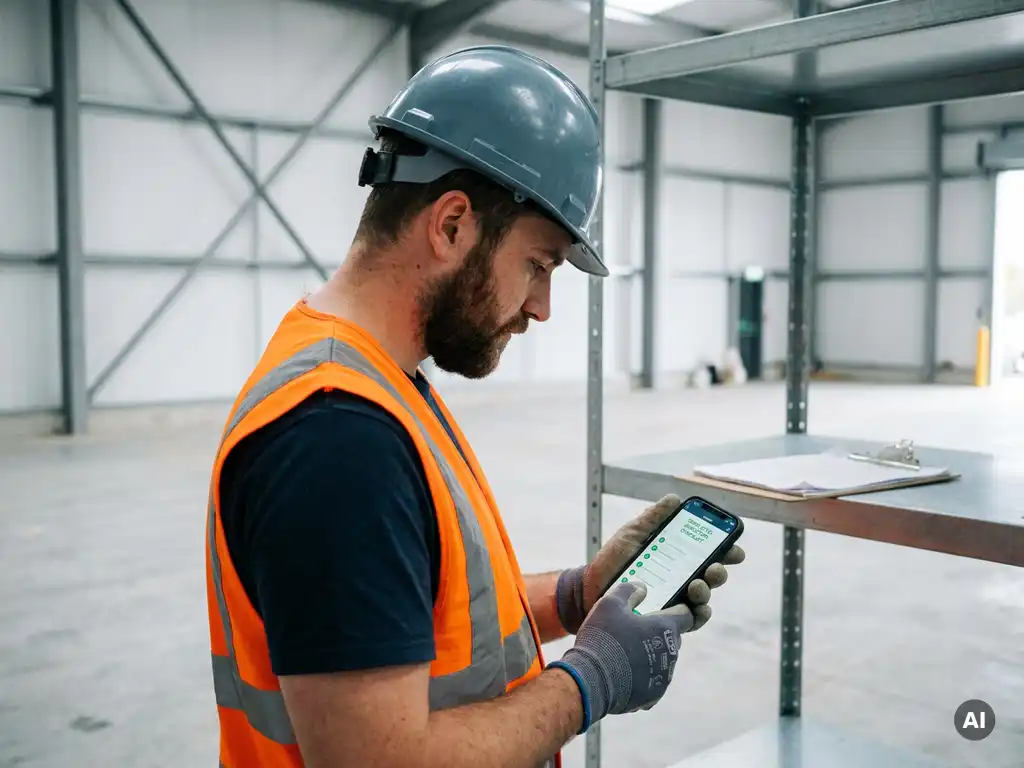
You collect inspection data directly on the shop floor by having employees or supervisors complete a digital form on their phone, at the time and location of the inspection itself. This prevents findings from being filled in afterwards from memory, which greatly improves the accuracy of workplace inspection records.
In practice, this works best when you take a few preconditions into account:
- Use a channel that employees already know. A dedicated inspection app requires a download and a login, which in practice creates barriers. Many employees in construction, logistics, or production are not accustomed to business software, but do use their phone daily for messages.
- Keep the form short and clear. Long checklists put people off. Limit yourself to the checkpoints that truly matter and add space for a photo and a brief comment.
- Ensure offline capability or a low threshold in the event of a poor connection. At some work locations, the internet connection is limited. Choose a solution that can handle this.
- Send the form proactively. Do not wait for the inspector to take the initiative themselves. An automatic message at the scheduled time leads to higher completion rates.
When photos can be added directly via the phone to the digital inspection report, there is no need to link separate files afterwards. The finding and the evidence are then immediately together in the file.
Where do you store inspection files securely and accessibly?
Inspection files are most securely stored in a central digital system with access control, automatic backups, and a clear folder structure per location, project, or period. Local storage on individual computers or separate Excel files makes records vulnerable to loss and difficult to search.
A good storage solution for digital inspection records meets the following criteria:
- Central access: multiple users can consult the file without having to share documents via email or USB
- Permission structure: not everyone needs to be able to view or edit all files
- Searchability: you can quickly filter by date, location, inspector, or type of finding
- Export capability: during an audit or internal evaluation, you can easily download or share reports
- Integration with the inspection process: ideally, a system in which completing the inspection and storing the data take place within the same platform, without manual transfer
Cloud-based platforms have a practical advantage here: files are always available, including for employees at different locations, and you are not dependent on a single computer or server at the office.
How do you link inspection findings to corrective measures?
You link inspection findings to corrective measures by assigning each finding, at the point of recording, a responsible person, a description of the required action, and a target date for resolution. In this way, the inspection becomes not merely a snapshot, but a starting point for improvement.
In practice, this works best with a consistent approach:
- Categorise the finding when completing the report: is it an immediate safety risk, a point of attention, or an area for improvement?
- Assign a responsible person to carry out the measure. This may be the supervisor on site or a specific department.
- Set a deadline that reflects the urgency of the finding. An acute risk calls for immediate action; a point of attention can be addressed in a regular meeting.
- Monitor the status via a dashboard or overview. As long as a measure remains open, the finding stays visible.
- Close the finding once the measure has been carried out, preferably with a confirmation or photo as evidence.
This closed-loop process makes workplace inspection documentation more than an administrative obligation. It becomes an instrument with which you can demonstrate that identified risks are actually being addressed.
What are the retention requirements for inspection files?
There is no universal retention period that applies to all inspection files. How long you retain inspection records depends on the type of record, the applicable laws and regulations, any certification requirements, and the sector in which you operate. If in doubt, consult an occupational health or legal adviser for the situation within your organisation.
What you can do is establish an internal retention policy that takes the following factors into account:
- Legal obligations: applicable health and safety legislation sets requirements for recording and documentation, but the exact retention periods differ depending on the type of record and the circumstances
- Certification requirements: if your organisation works with VCA or comparable certification schemes, these may set additional requirements for retaining safety documentation
- Contractual agreements: clients may specify in contracts how long inspection files must remain available
- Internal evaluation cycle: even without an external obligation, it is useful to retain historical inspection data for trend analysis and improvement programmes
A digital system makes it easier to manage retention periods. You can archive files without deleting them, and they can be retrieved quickly when needed.
How do you use inspection data to reduce safety risks?
You use inspection data to reduce safety risks by analysing recurring findings, identifying patterns, and implementing targeted improvements on that basis. A single inspection provides a snapshot; multiple inspections over time reveal structural risks.
Concrete steps to move from inspection data to safety improvement:
- Analyse frequency: which findings recur across multiple locations or periods? These are the risks that warrant structural attention.
- Compare locations or teams: are there workplaces or shifts where significantly more findings are consistently recorded? This may indicate a training or communication issue.
- Link data to training: if a particular risk keeps recurring, consider a targeted work instruction or safety training for the employees involved.
- Share insights with supervisors: an overview of the most common findings helps managers to set priorities in their approach to safety.
- Evaluate the effectiveness of measures: check during subsequent inspections whether previously identified risks have actually been reduced.
Digital inspection recording makes this analysis considerably more accessible than paper files. When all data is held in one system, you can use filters and dashboards to quickly generate overviews that would otherwise require hours of manual work.
How we help with digital workplace inspections
With our workplace inspection service, you carry out digital inspections directly via WhatsApp, the channel that employees already use every day. This lowers the threshold for operatives and supervisors to actually carry out and record inspections, without an additional app or login procedure.
This is what our approach delivers in practice:
- Inspection forms are sent proactively to the phone of the responsible employee
- Findings, timestamps, and photos are recorded immediately in one central digital file
- Existing paper checklists or Excel forms are converted one-to-one into our environment, so you can continue using familiar processes
- Thanks to AI-powered translations in more than 50 languages, you can also reach multilingual employees in their own language
- All reports can be exported with a single click for internal evaluations or external audits
Would you like to see how this works for your organisation? Get in touch with us and discover how you can approach workplace inspections in a simpler and more structured way.