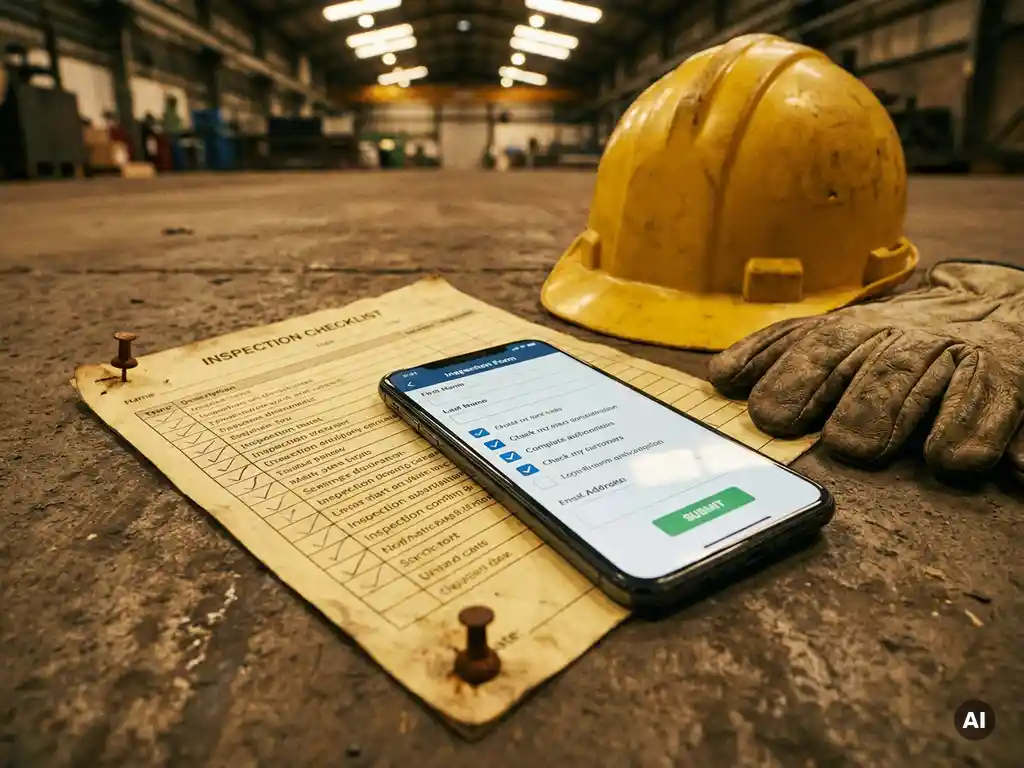
Paper and digital workplace inspections differ primarily in how data is collected, stored, and acted upon. Paper inspections rely on physical checklists filled out by hand, whilst digital inspections use software or apps to capture findings in real time, automatically store records, and trigger follow-up actions. For most organisations, the switch to digital means faster reporting, fewer errors, and a clearer audit trail. The sections below break down the key differences across cost, accuracy, industry fit, and implementation. If you have questions along the way, feel free to book a demo with us.
What are the main disadvantages of paper workplace inspections?
Paper workplace inspections are slow, error-prone, and difficult to track over time. Inspectors fill out physical checklists by hand, which must then be manually transferred into a system, creating a significant risk of transcription errors, lost forms, and delayed reporting. In safety-critical environments, these delays can mean hazards go unaddressed for days.
Beyond data entry, paper inspections create real storage and retrieval challenges. Physical records take up space, are vulnerable to damage, and are time-consuming to search when you need to review historical findings. Compliance audits become a logistical headache when documentation is spread across folders and filing cabinets rather than a searchable digital system.
There is also the issue of accountability. With paper, it is difficult to confirm when an inspection actually took place, who completed it, or whether corrective actions were followed up. Signatures can be added after the fact, and there is no automatic timestamp or location data to verify that the inspection was conducted properly. These gaps weaken the reliability of your workplace safety inspection records and can create legal exposure if an incident occurs.
How do digital workplace inspections work?
Digital workplace inspections use software tools or mobile apps that allow inspectors to complete checklists on a smartphone, tablet, or computer. Findings are recorded in real time, automatically timestamped, and stored in a central system that is accessible to managers and safety teams immediately after the inspection is complete.
Most digital inspection tools allow organisations to build custom checklists tailored to specific locations, roles, or risk categories. Inspectors can attach photos, add notes, and flag issues directly within the form. When a hazard is identified, the system can automatically notify the relevant person and create a corrective action task, so nothing falls through the cracks.
The back end is where digital inspections really pull ahead. Managers get a live dashboard showing inspection completion rates, recurring issues, and outstanding actions. Over time, this data builds a picture of where risks are concentrated, making it easier to prioritise resources and demonstrate compliance to regulators. The entire process, from checklist completion to corrective action closure, is logged and auditable without any manual effort. Learn more about how digital workplace inspections can work for your organisation.
Are digital inspections more accurate than paper inspections?
Yes, digital workplace inspections are generally more accurate than paper inspections. They eliminate manual transcription, enforce mandatory fields, and create automatic timestamps and location data that verify when and where an inspection took place. This structural consistency reduces human error and makes it much harder to skip steps or complete forms retrospectively.
Digital inspection tools can also include logic-based prompts, meaning the form adapts based on previous answers. If an inspector marks a piece of equipment as faulty, the system can immediately prompt for a photo, a severity rating, and an assigned follow-up action. Paper checklists offer no such guardrails. An inspector in a hurry can tick boxes without engaging with the content, and there is no mechanism to catch it.
That said, accuracy ultimately depends on how well the inspection tool is designed and how thoroughly staff are trained to use it. A poorly built digital checklist will produce poor data regardless of the format. The advantage of digital is that it gives you the infrastructure to build accuracy in, whereas paper makes accuracy much harder to enforce at scale.
What does it cost to switch from paper to digital inspections?
The cost of switching from paper to digital workplace inspections varies widely depending on the size of your organisation, the complexity of your inspection processes, and the software you choose. Many digital inspection tools operate on a subscription model, with pricing typically based on the number of users or the volume of inspections conducted each month.
Beyond software costs, organisations should factor in time spent building digital checklists, training staff, and integrating the new system with existing HR or safety management platforms. These upfront investments are real, but they tend to pay back quickly. Eliminating paper printing, physical storage, and manual data entry generates ongoing savings, and faster hazard reporting reduces the risk of costly incidents.
For smaller organisations or teams just starting out, many providers offer free tiers or trial periods that allow you to test the workflow before committing. The more meaningful cost consideration is often not the software itself, but the change management required to get your inspection teams using it consistently. That is where thoughtful onboarding and clear communication make the biggest difference to return on investment.
Which industries benefit most from digital workplace inspections?
Industries with high inspection volumes, strict regulatory requirements, or distributed workforces benefit most from digital workplace inspections. This includes manufacturing, construction, logistics, healthcare, and retail, all of which require frequent safety checks across multiple locations or shifts.
In manufacturing and logistics, where equipment checks and safety walkthroughs happen daily, digital tools dramatically reduce the administrative burden on supervisors and ensure records are always up to date. In healthcare, where compliance documentation is tightly regulated, digital inspections create an audit trail that is far more defensible than paper records. Retail and hospitality benefit from the ability to standardise inspections across many sites, ensuring consistent safety standards regardless of location. Organisations in food production and catering can also benefit from structured HACCP training to keep teams aligned with food safety requirements.
Organisations with multilingual workforces also gain a specific advantage. Digital inspection tools that support multiple languages ensure that every team member can engage with safety procedures in the language they understand best, which directly improves compliance and reduces the risk of miscommunication during critical checks.
How do you transition a team from paper to digital inspections?
Transitioning a team from paper to digital inspections works best when you introduce the change gradually, communicate the reasons clearly, and invest in hands-on training before going fully live. A rushed rollout without adequate preparation is the most common reason digital inspection programmes stall or get abandoned.
A practical transition typically follows these steps:
- Audit your existing paper checklists to identify which ones are used most frequently and which need updating before being rebuilt digitally.
- Choose a digital inspection tool that matches your team’s technical comfort level and integrates with your existing systems.
- Rebuild your checklists digitally, taking the opportunity to remove outdated questions and add logic-based prompts where useful.
- Run a pilot with a small group of inspectors to identify usability issues before rolling out to the whole team.
- Train staff thoroughly, focusing not just on how to use the tool but on why the change is being made and what good digital inspections look like. Structured toolbox talks are an effective way to communicate this to frontline teams.
- Run parallel processes briefly if needed, completing both paper and digital inspections for a short period to build confidence and catch gaps.
- Retire the paper process once the team is comfortable and the digital system is producing reliable data.
Resistance to change is normal, particularly amongst experienced inspectors who are comfortable with paper. Addressing concerns directly, highlighting the time savings, and making the digital tool as simple as possible to use will smooth the transition considerably. Short, focused training sessions delivered in the flow of work tend to be more effective than lengthy classroom-style onboarding. Using tools designed to retain and maintain knowledge helps ensure that what teams learn during the transition sticks over time.
How E-Lia helps with workplace inspection training
Making the shift from paper to digital inspections is not just a technology decision. It requires your team to build new habits, understand new tools, and stay up to date as processes evolve. That is where we come in. At E-Lia, we help organisations train and inform their teams through bite-sized microlearnings delivered directly via WhatsApp, with no app to download and no login required.
Here is how we support digital inspection transitions specifically:
- Microlearning modules on digital inspection tools that explain how to use new software in 3 to 6 minutes, right on your team’s phone.
- Step-by-step WhatsApp instructions that guide inspectors through new digital checklists in their own language, thanks to automatic translation.
- Scheduled or on-demand delivery so training lands exactly when it is needed, whether that is during onboarding or at the moment a new inspection process launches.
- Progress tracking via a simple dashboard so you can see who has completed training and where follow-up is needed.
- Modules built in 10 to 15 minutes, meaning your L&D team or safety manager can create and update training content quickly as your inspection processes change. This makes it straightforward to keep work instructions current and accessible to every team member.
Whether you are rolling out a new digital workplace inspection tool or refreshing your team’s knowledge of existing safety procedures, we make it easy to get the right information to the right people at the right time. Plan a demo to see how E-Lia works in practice.
Frequently Asked Questions
Can digital inspection tools work offline, for example in areas with poor signal?
Most modern digital inspection tools include an offline mode that allows inspectors to complete checklists without an active internet connection. Data is stored locally on the device and synced automatically once connectivity is restored. If your team works in warehouses, construction sites, or remote locations, it is worth confirming offline functionality before committing to a platform, as not all tools handle this equally well.
How do we ensure inspectors actually complete digital inspections properly and don't just rush through them?
This is one of the most common implementation concerns, and the good news is that digital tools give you more control over this than paper ever did. You can enforce mandatory photo attachments, add logic-based prompts that require specific responses before moving on, and use completion dashboards to spot unusually fast inspection times. Pairing these technical guardrails with clear expectations during training and regular spot-checks from supervisors tends to produce the most consistent results.
What should we look for when choosing a digital inspection tool for our organisation?
Start by assessing ease of use on mobile devices, since inspectors who struggle with the interface will revert to paper quickly. Look for customisable checklists, offline functionality, automatic corrective action workflows, and reporting dashboards that give managers real-time visibility. Integration with your existing HR or safety management systems is also worth prioritising, as is multilingual support if your workforce speaks more than one language.
How long does it typically take to fully transition from paper to digital inspections?
For most organisations, a realistic timeline is between four and twelve weeks from initial setup to full adoption, depending on team size, the complexity of your inspection processes, and how much change management is required. Running a pilot with a small group first, then rolling out in phases, tends to produce a smoother transition than switching the entire team at once. The parallel-running period, where both paper and digital are used briefly, usually lasts two to four weeks.
Are digital inspection records legally valid for compliance and audit purposes?
Yes, digital inspection records are legally recognised in most jurisdictions and are often considered more reliable than paper records precisely because they include automatic timestamps, GPS data, and an unalterable audit trail. That said, it is worth checking the specific regulatory requirements in your industry and country, as some sectors have particular rules around record retention periods or electronic signature requirements. Your digital inspection tool provider should be able to advise on compliance standards relevant to your context.
What are the most common mistakes organisations make when rolling out digital inspections?
The most frequent mistake is underinvesting in training and change management whilst overinvesting in the technology itself. A well-built tool will still fail if inspectors do not understand why the change is happening or how to use it confidently in the field. Other common pitfalls include migrating outdated or poorly structured paper checklists directly into the digital format without reviewing them first, and skipping the pilot phase, which almost always surfaces usability issues that are much easier to fix before a full rollout.
How do we keep digital inspection checklists up to date as regulations or processes change?
This is actually one of the clearest advantages of digital over paper. Updating a digital checklist takes minutes and the change is immediately available to every inspector using the platform, with no need to reprint or redistribute physical forms. Assign a named owner for each checklist, set a regular review schedule tied to regulatory updates or incident reviews, and use your inspection platform’s version history to track what changed and when. Pairing checklist updates with a short microlearning notification ensures your team is aware of any changes before their next inspection.